
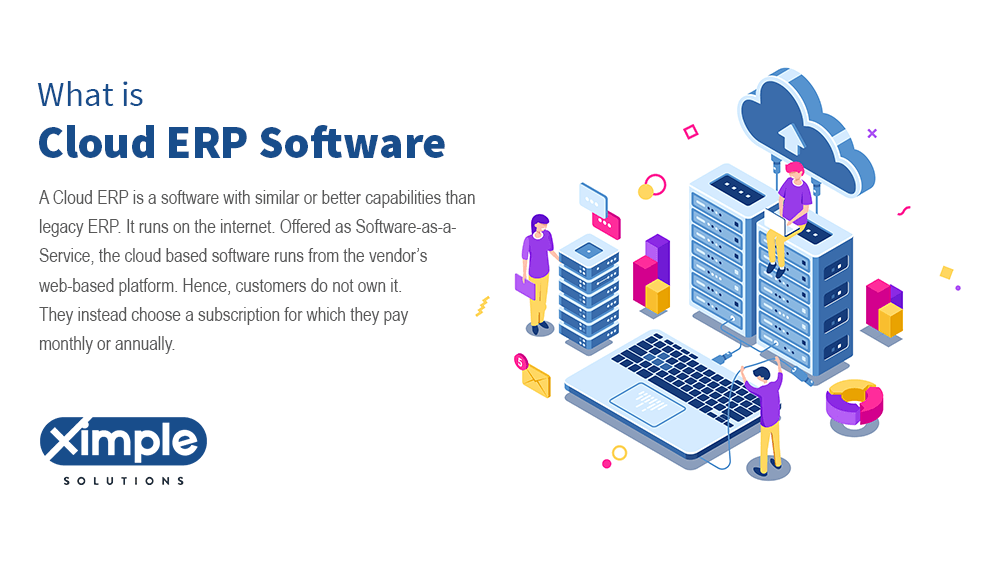
A cloud ERP system runs core business operations – finance, supply chain, inventory, and human resources – on secure remote servers instead of in-house hardware, delivered as a Software-as-a-Service (SaaS) subscription. You pay monthly or annually, log in from a browser on any device, and the vendor handles hosting, maintenance, security, and upgrades, so there is no server room to buy or patch. This guide explains how cloud ERP works, how it differs from on-premise ERP, the deployment types, benefits, challenges, and the steps to migrate.
Cloud ERP have a mixture of technologies that connect to speedy internet networks. These solutions stay online throughout, and the vendor updates their security. Customers using sap cloud ERP or any other should only login in and use the data stored in their software. The ERP cost of ownership is small for the customer. Cloud Enterprise Resource Planning software is accessible on desktop PCs and mobile devices. This characteristic makes them more dependable than on premise ERP software because it is only accessible on the company s in-house servers. Cloud-based ERP solutions entail various functions, including sales histories, customer relations, supply chain, human capital, etc. They are scalable, versatile, profitable, and cost-friendly.
Cloud ERP is a web-based software solution where the vendor manages installation, maintenance, and security, allowing users to access the system via the internet without requiring local software installation.
Cloud ERP and on-premise ERP deliver the same core functions; what differs is where the software runs and who manages it. On-premise ERP runs on servers at your own facility: your IT team installs, secures, backs up, and upgrades it, and you pay upfront for licenses and hardware.
Cloud ERP runs on the vendor’s platform: setup is faster, upfront cost is lower, and maintenance, security, and upgrades are carried by the vendor as part of the subscription. Some vendors, including Ximple, offer both deployments on the same platform, so the choice is about control and compliance, not features.
Understanding the basic cloud ERP concepts is essential. These concepts are the key terminologies you will encounter when researching enterprise resource planning software. They include the following:
Cloud ERP systems are not all built the same way. Before you choose one, whether Ximple cloud ERP for distributors or another platform, know which deployment type you are buying. The types include:
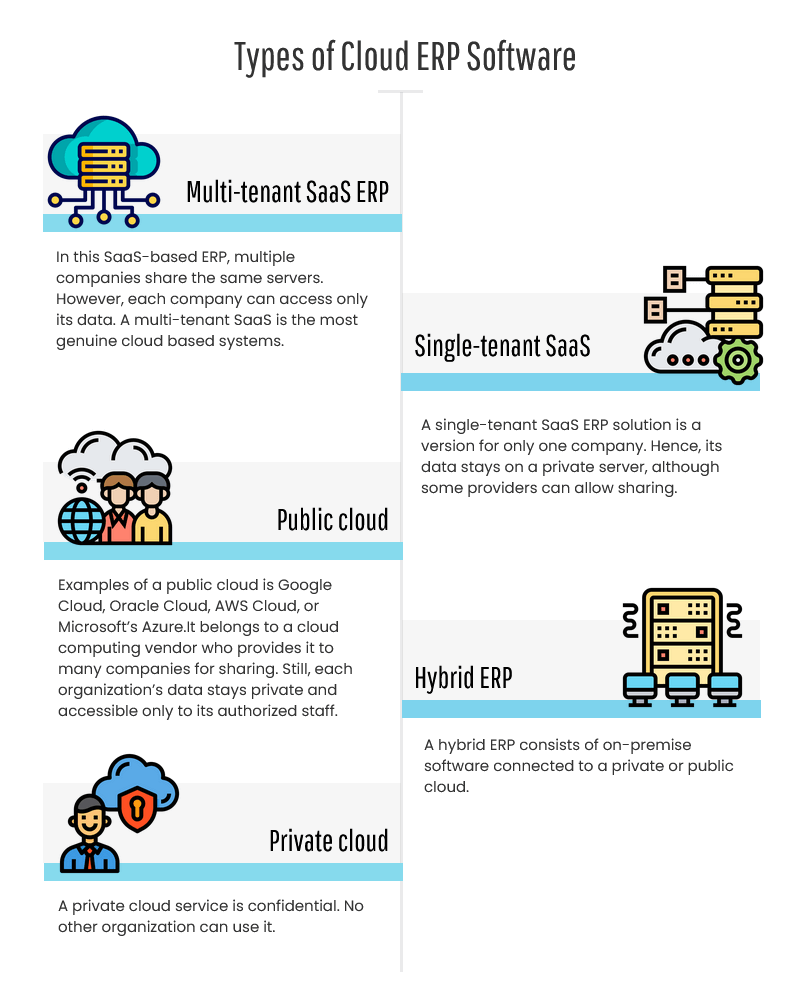
Read full article: Types of Cloud ERP
Cloud ERP benefits are the reason many small and medium-sized businesses want to acquire it. They include the following:
Is a cloud-based ERP system free from challenges? No, like legacy ERP, the cloud system has its challenges. These challenges entail the following:
For wholesale distributors, a cloud ERP connects inventory, purchasing, warehouse operations, and financials into one real-time system built for the flow of physical goods. When you evaluate options, look for three things a generic cloud ERP rarely covers out of the box:
Ximple ERP is a cloud ERP built specifically for wholesale distribution, with these workflows native to the platform and both cloud and on-premises deployment on the same system. See the full picture on our wholesale distribution ERP software page, or, if you run a legacy system today, start with our Epicor Prophet 21 alternative guide.
 Cloud ERP FAQ
When you compare cloud vs on-premise ERP, cloud wins for most teams on cost, access, and upkeep. It runs in a web browser on any desktop or mobile device, so office and remote staff use the same system. It carries the same functions as on-premise ERP but is easier to extend, and the vendor bears the cost of servers, security, and upgrades. On-premise still makes sense when data must stay on your own hardware, which is why some vendors, including Ximple, offer both deployments.
Yes, cloud ERP is Software as a Service. Hence, the ERP vendor stores it on their cloud computing servers. They are responsible for software and hardware management.
No. Cloud computing is the broader delivery of computing services over the internet, in three forms: IaaS, PaaS, and SaaS. Cloud ERP is one application that runs on top of cloud computing, most often delivered as SaaS.
It can be SaaS or PaaS. The choice between these two is with your company. If the goal is to get a highly scalable system your IT workers can customize and expand, PaaS is the best.
PaaS requires professional coders who can create middleware and other applications. SaaS is the best selection if you want the best cloud ERP for medium-sized businesses without the need to manage it yourself.
A cloud-based ERP solution runs core business applications, such as finance, inventory, purchasing, and human resources, on servers the vendor manages. You access it through a web browser on a monthly or annual subscription, and the vendor handles hosting, security, backups, and updates.
SAP offers cloud-based ERP, most notably SAP S/4HANA Cloud, alongside on-premise versions. SAP mainly serves large global enterprises. Mid-market companies and wholesale distributors more often choose systems such as Oracle NetSuite, Acumatica, or an industry specific platform like Ximple ERP.
By market share, the top three are generally SAP, Oracle, including NetSuite, and Microsoft Dynamics 365. The best choice depends on fit: large enterprises lean toward SAP and Oracle, while wholesale distributors often do better with a distribution specific cloud ERP such as Ximple, where pricing, rebates, and warehouse workflows are built in.
Common examples include SAP S/4HANA, Oracle NetSuite, Microsoft Dynamics 365, and Acumatica. An industry specific example is Ximple ERP, a cloud ERP for wholesale distributors that combines inventory, purchasing, warehouse, sales, and accounting in one system.
This term covers internet-hosted services, and people often ask: what is cloud based ERP systems? .
The future of cloud based system rests on Artificial Intelligence, Remote Collaboration, Machine Learning, Robotics Process…
Running outdated, inefficient, insecure, and expensive legacy systems is unnecessary. Companies can shift their applications…

Smart, fast, integrated —
that's Ximple ERP.
Cloud ERP software for wholesale distributors across the USA & Canada.
© 2026, Ximple Solutions. All rights reserved.